ByNav Receiver firmware update and configuration
July 1, 2024- ByNav Software „BY_Connect“ from the Download page download
- Download firmware
- Unzip the file
- Run ByConnect.exe from the folder
- Plug in the USB cable
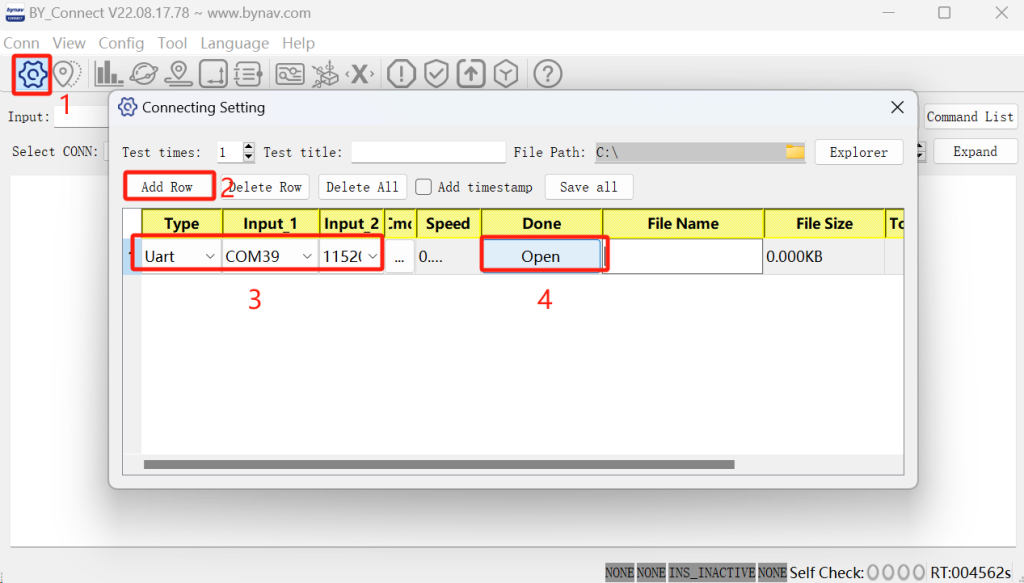
- Click the connection icon
- Add a line and select the USB port with 115200.
- Press Open

- write illogical
- Press send
- Write log version
- Press send
- The current version is displayed.
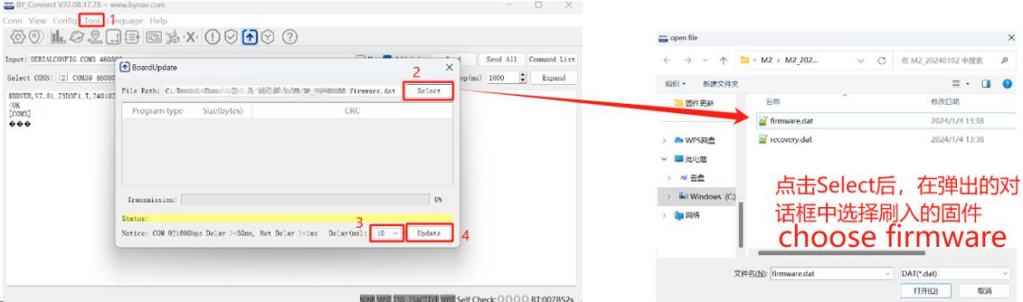
- Select tool – Firmware update
- Select firmware
- Set the delay to 10
- Press update
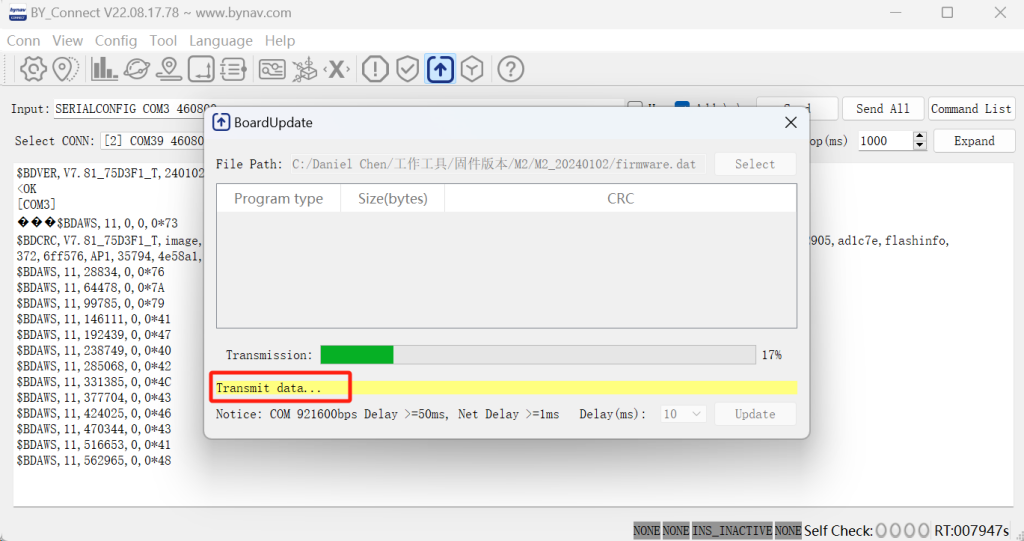
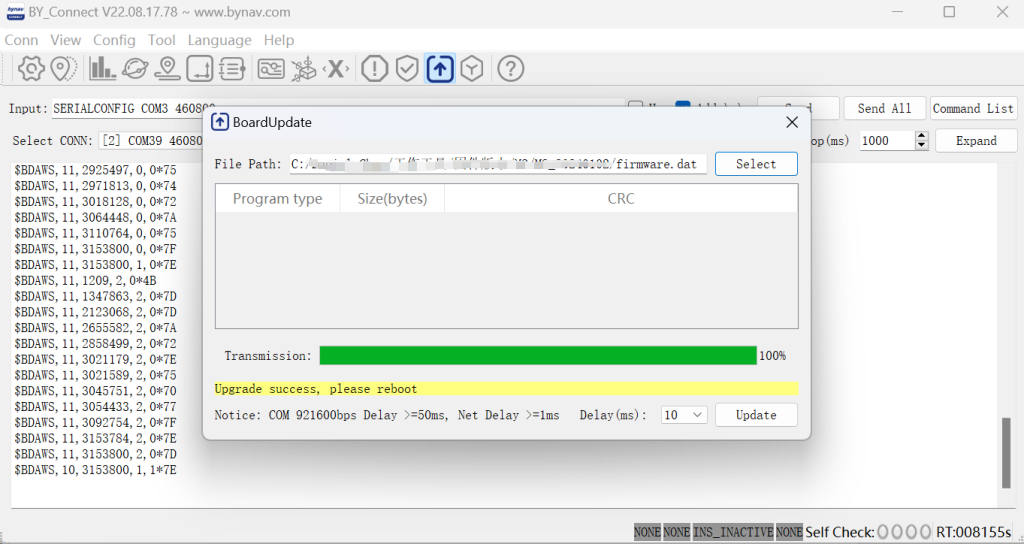
- Close dialog box
- reboot on input writing
- Press send
Receiver rebooted. Firmware update successful.
Change configuration:

- Click Expand
- Send commands from lists 1-8 and 10, 11, 13, 14 via send.
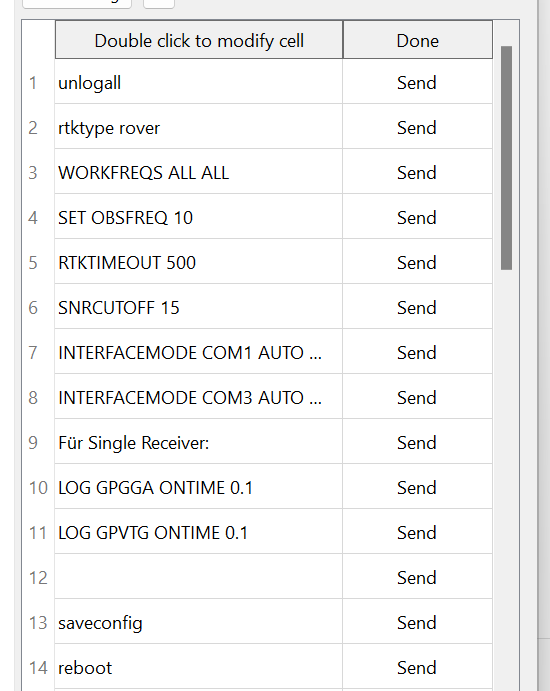
For DUAL Receivers:
- Skip commands 10 and 11 (if already done, send unlogall again)
- Send commands 17-21